UX/UI Design · Interactive Narrative
Redress
A Twine-based educational game teaching Asian American civil liberties history through player-driven narrative.
Overview
Redress is an interactive narrative game designed to teach students about Japanese American incarceration during WWII — built in partnership with Prof. Lien Tran and Full Spectrum Features as part of a public history research initiative.
The game places players in the role of a library researcher uncovering archival evidence of Executive Order 9066. Rather than presenting history as fact to absorb, Redress makes it experiential — players make choices, navigate characters, and sit with the weight of what they find.
My role spanned the full design-to-implementation pipeline: conceiving the dialogue system, wireframing the UI, and building the interaction layer directly in Twine using SugarCube macros, custom CSS, and JavaScript.
Design Goals
- Make historical information experiential through player choices and consequences
- Avoid trauma voyeurism — center resilience, context, and redress instead
- Design character-driven dialogue that shifts layout and tone per speaker
- Deliver educational content through gameplay, not exposition
- Build a system that could scale to additional characters and scenes
Building the Dialogue System
Redress's narrative depended on character-driven dialogue where the portrait, name tag, and layout shift based on who's speaking. I designed and implemented this switching logic in Twine using SugarCube macros, custom CSS, and step-based state management — treating the dialogue system as both a UX pattern and a piece of interaction architecture.
Twine isn't built for this level of transition. I built it anyway — starting from a sketch, ending with a working fade-in/fade-out character switch system that Twine has no native support for.
Initial Concept
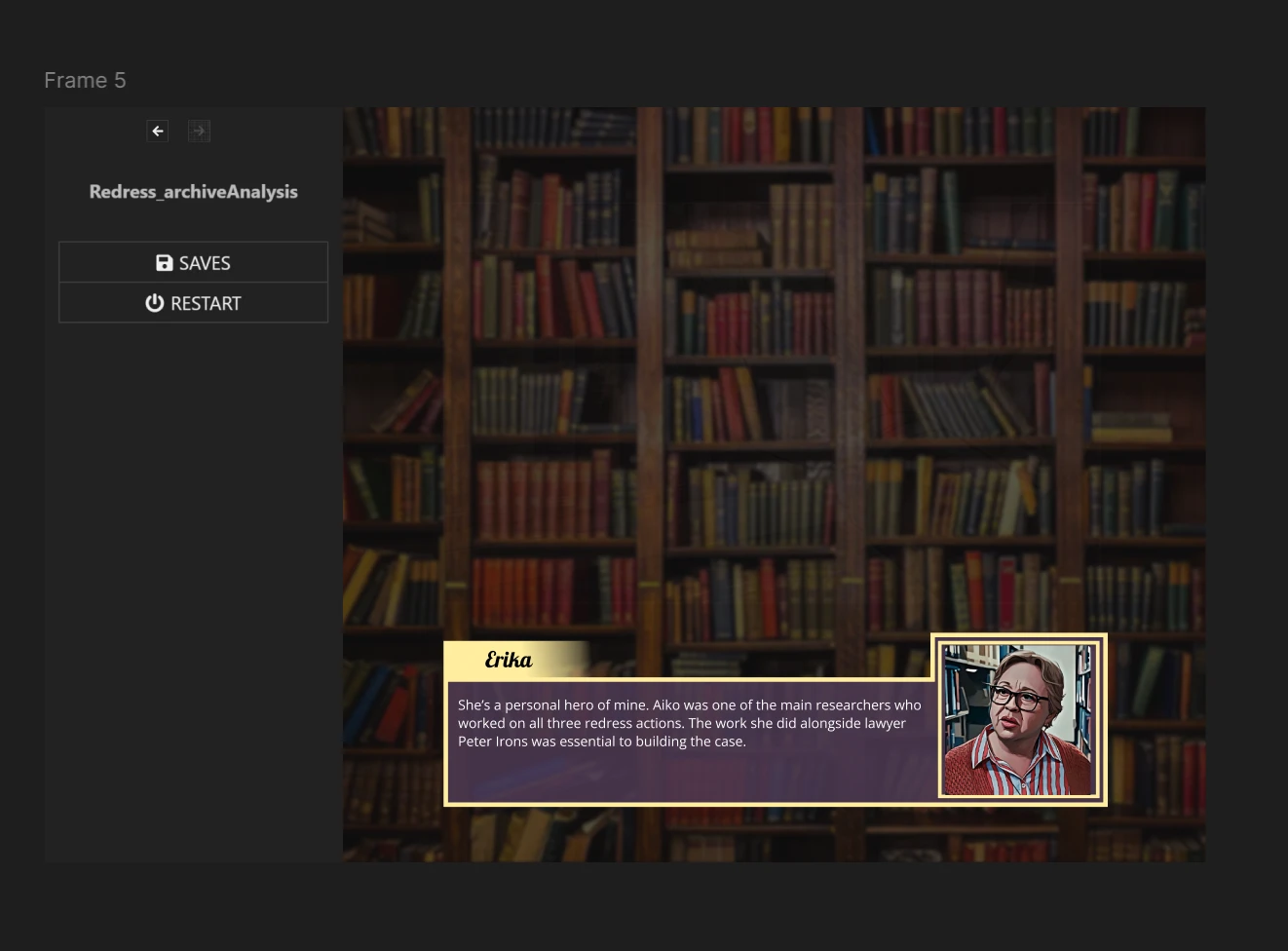
Figma concept sketch — dialogue box layout with character portrait, name tab, and text area
Implemented — Character Switching in Action
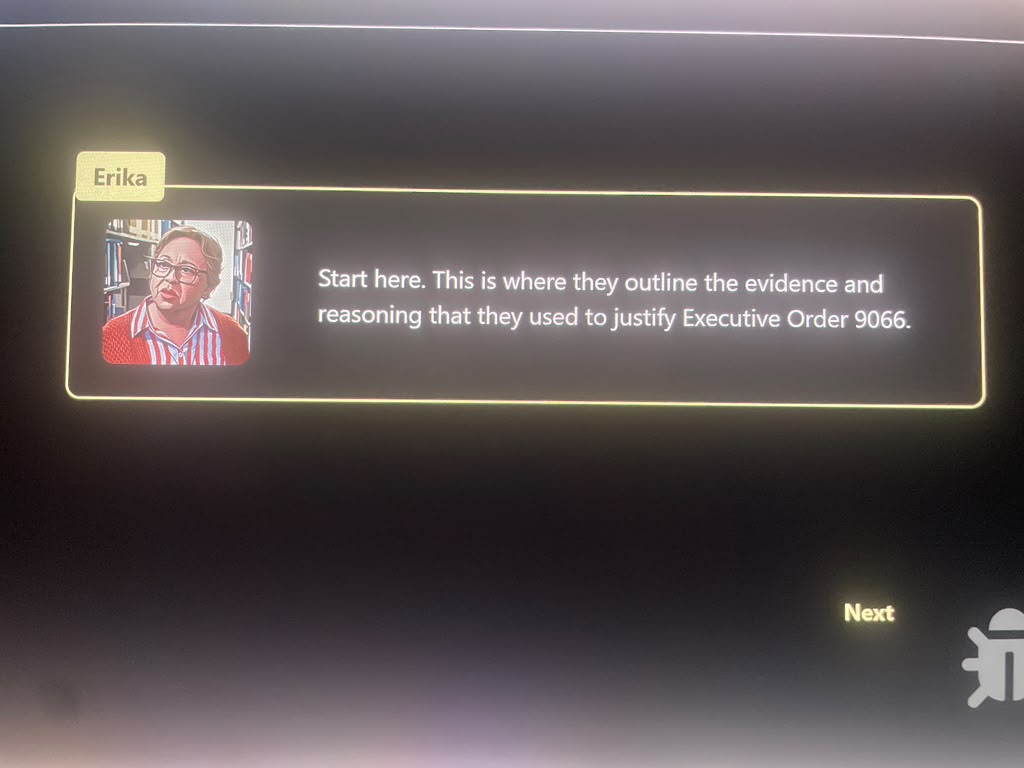
Erika's dialogue box — mentor character, warm layout
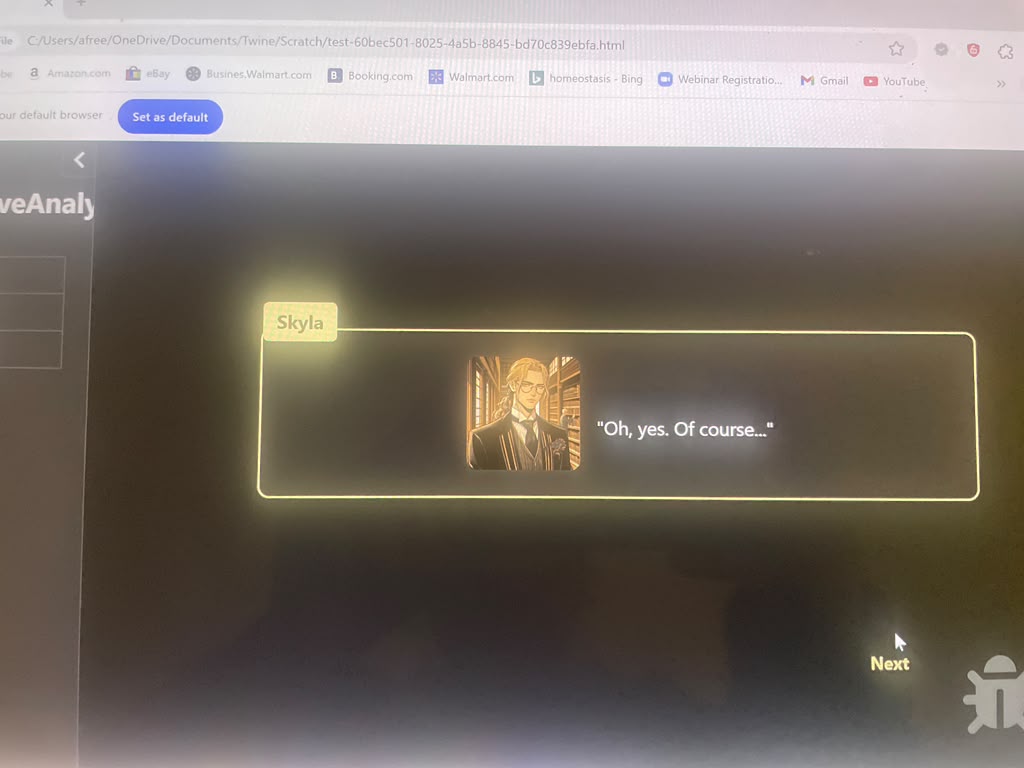
Skyla's dialogue box — layout and portrait adapt to speaker
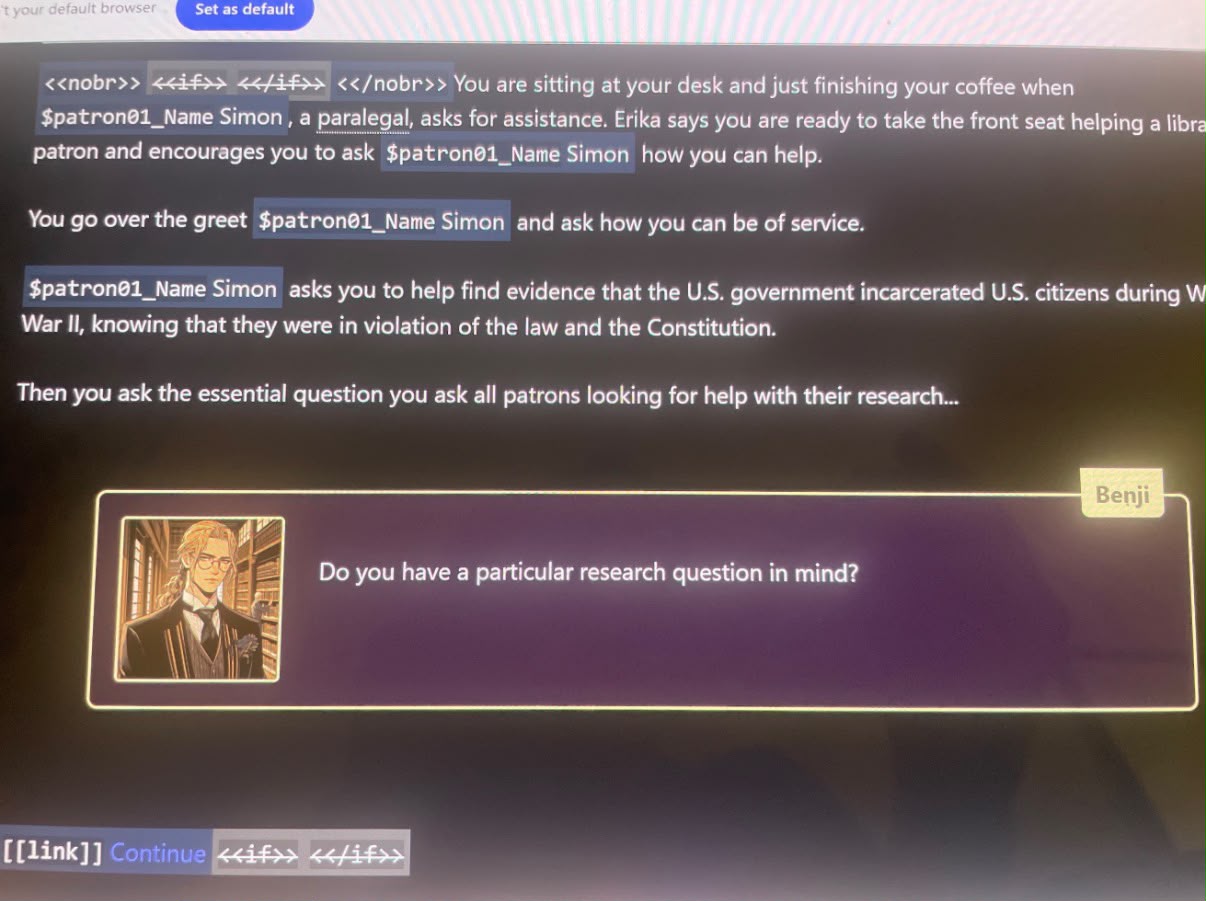
Benji's dialogue box — inline player-facing variables ($patron01_Name) render dynamically in narrative prose
Passage Architecture & Code
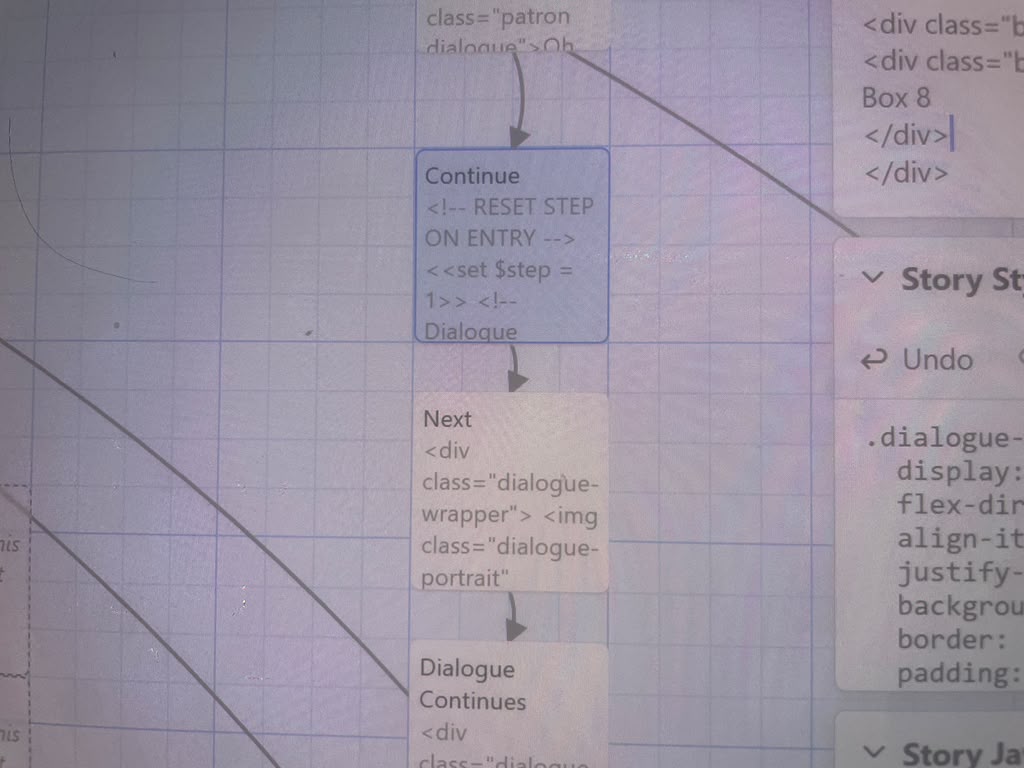
Twine passage flow — reset step logic on entry, dialogue-wrapper components, continuation branching
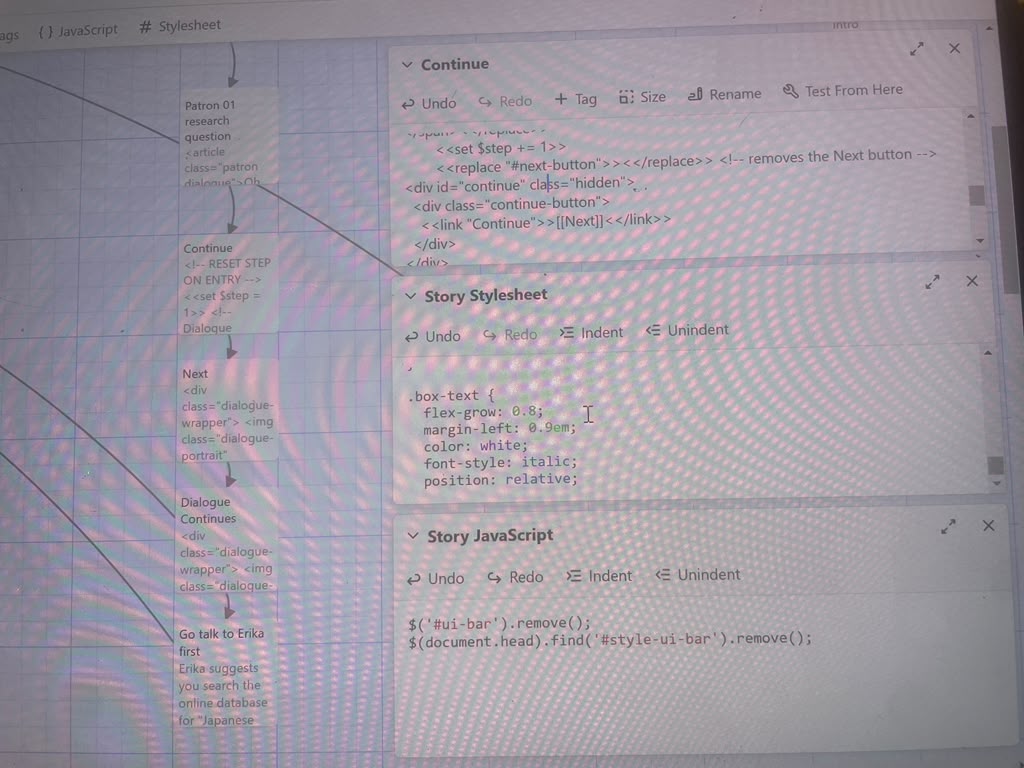
Custom CSS (flex portrait layout, italic text), SugarCube step counter, JS overrides removing default Twine UI chrome
Full Contributions
- Designed the full dialogue UI system in Figma — portrait layout, name tab, text area, fade transitions
- Implemented character-switching dialogue in Twine using SugarCube macros and step-based state management
- Built custom CSS for dialogue-wrapper flex layouts and portrait positioning
- Created fade-in/fade-out transitions between dialogue states — not natively supported by Twine
- Designed and implemented a dynamic variable system for player-facing character names rendered inline in prose
- Wrote JavaScript overrides to remove Twine's default UI chrome for a clean game experience
- Designed progress indicators, player memory trackers, and a Codex-style Historical Glossary
- Collaborated on narrative tone and branching story design with Prof. Tran's team
Document Analysis System
Beyond the dialogue system, I designed the full document analysis experience — the core gameplay loop where players examine real archival evidence. This included companion-guided onboarding, annotated document views, question overlays, feedback states, and a completion screen.
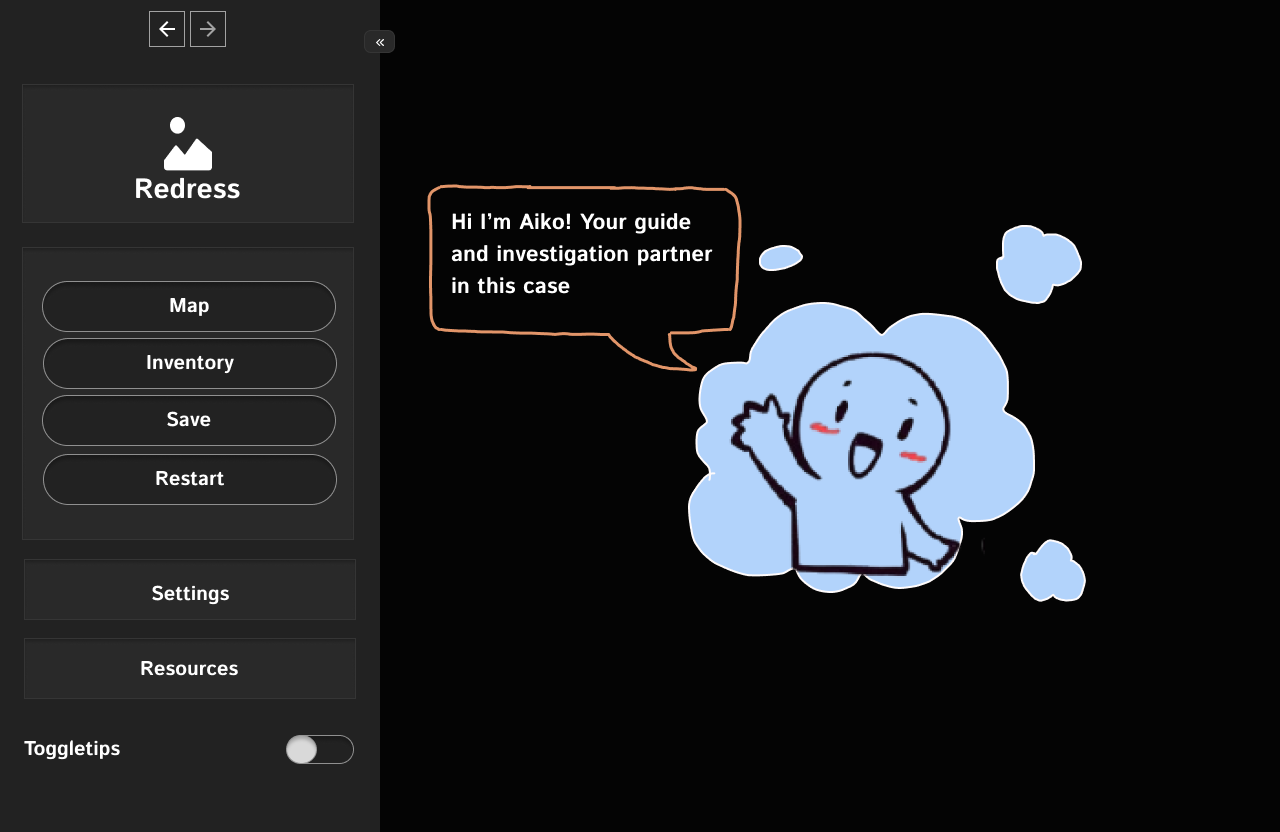
Companion onboarding — elephant character guides players into the document analysis task
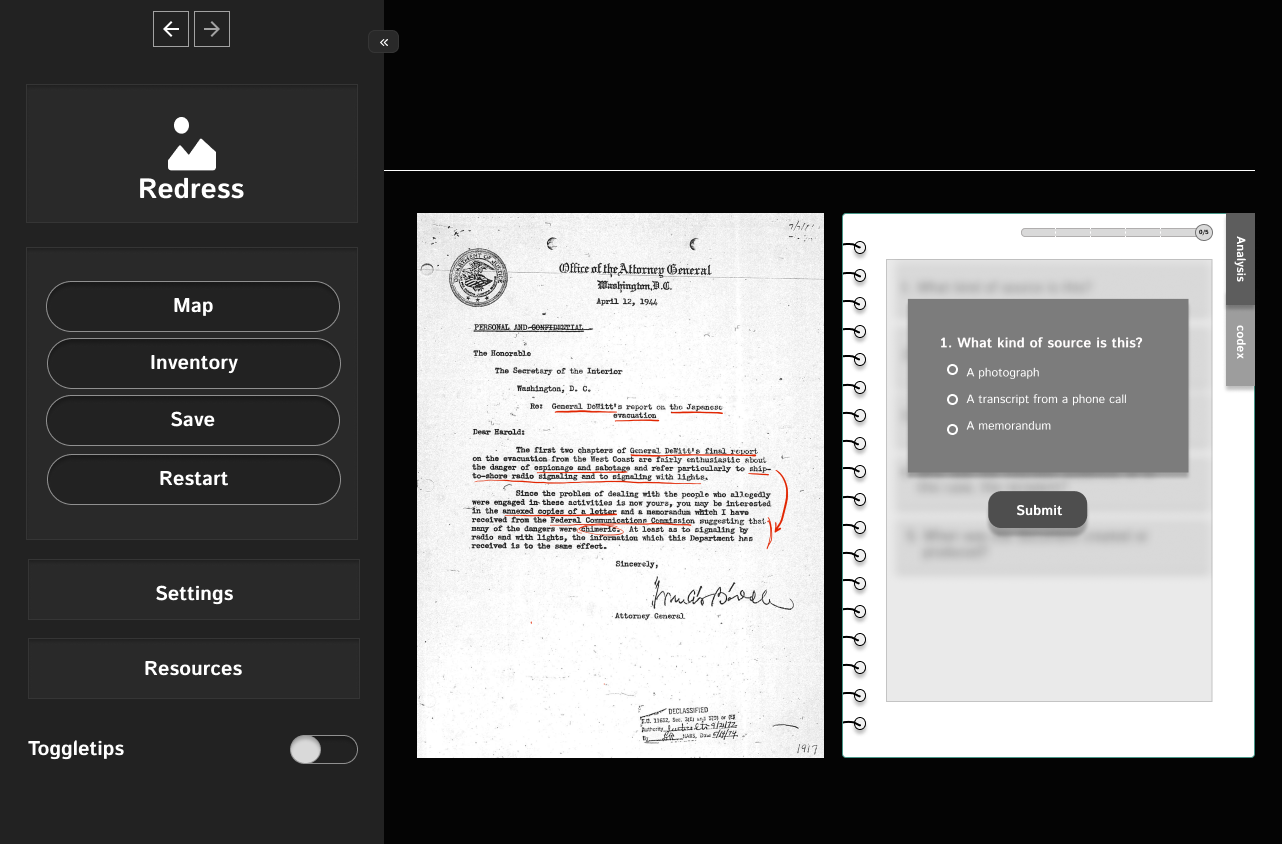
Document analysis view — historical document with question overlay, sidebar navigation (Map, Inventory, Save, Restart, Settings, Resources)
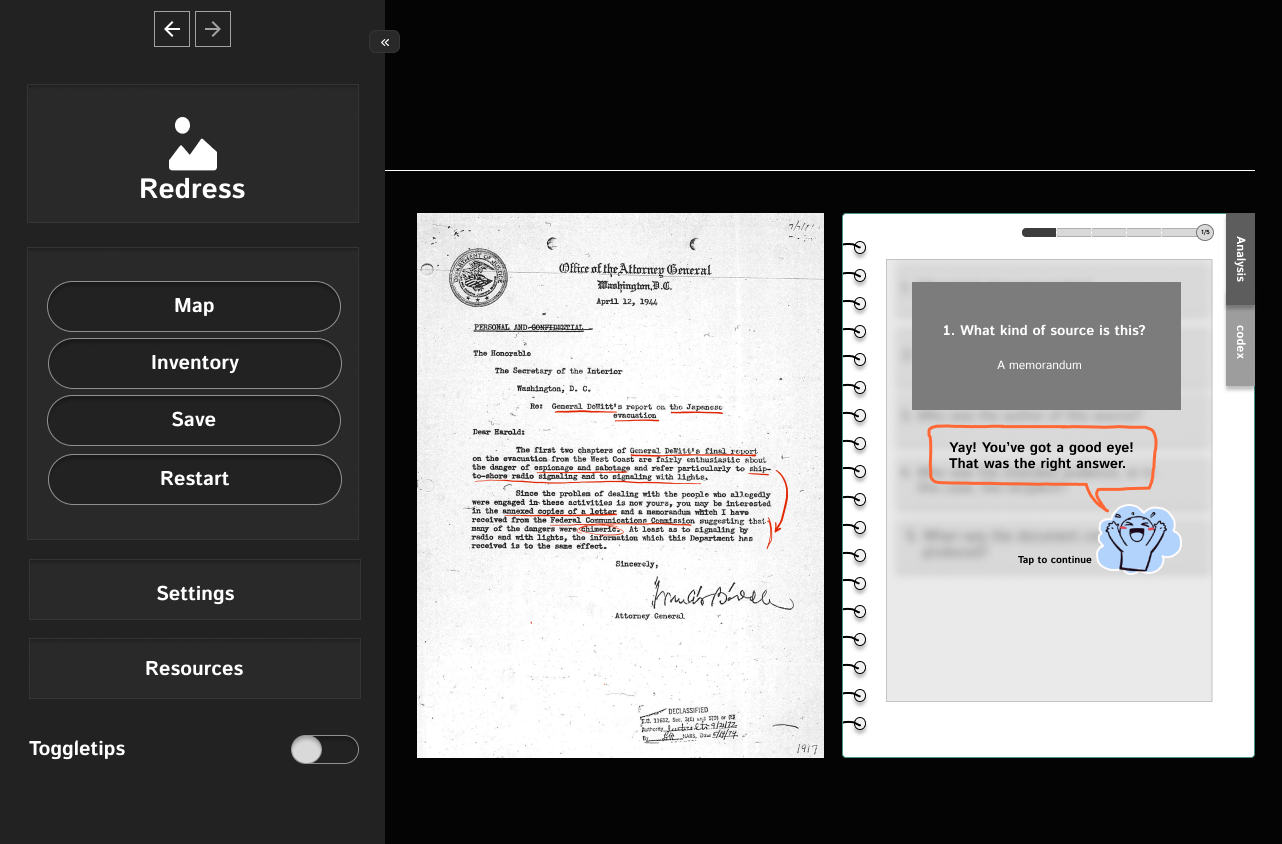
Feedback state 1 — response to player answer
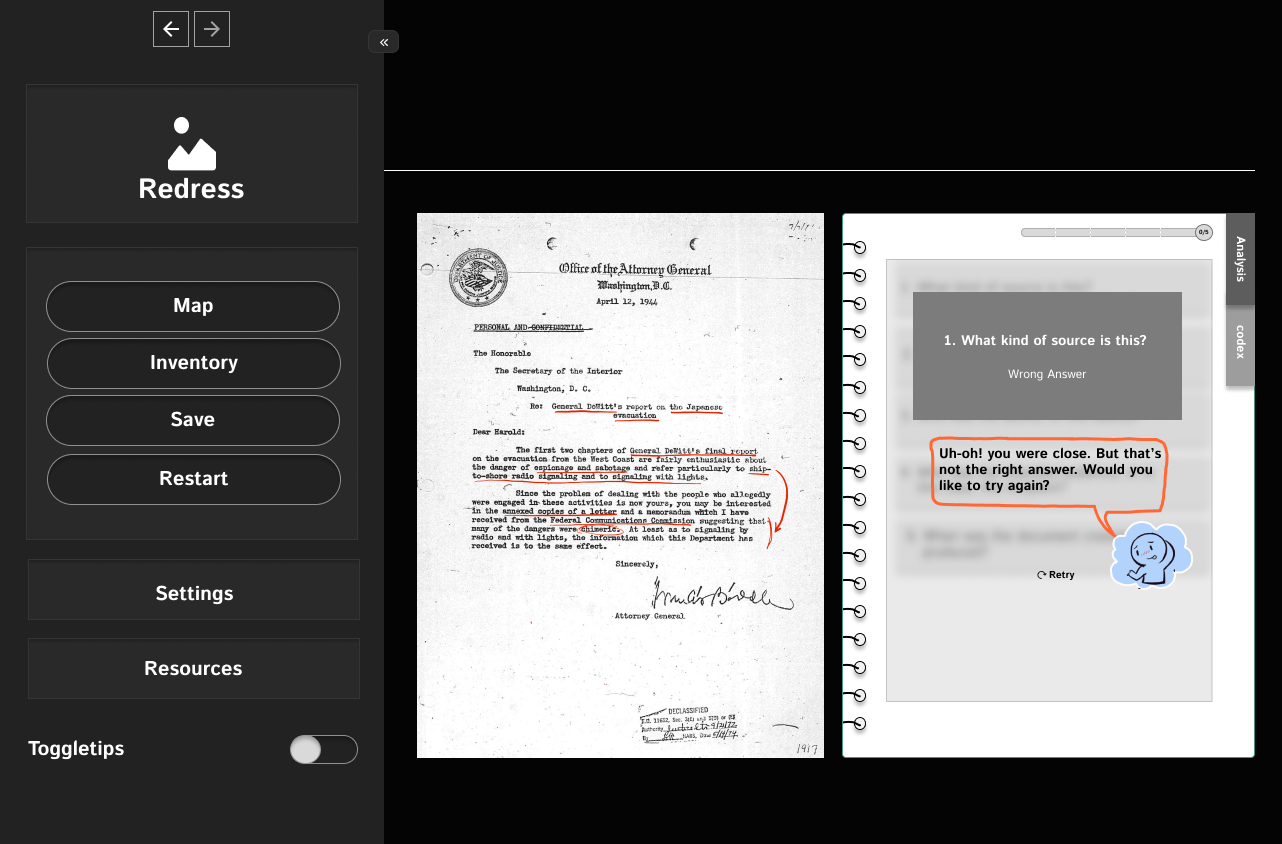
Feedback state 2 — additional historical context
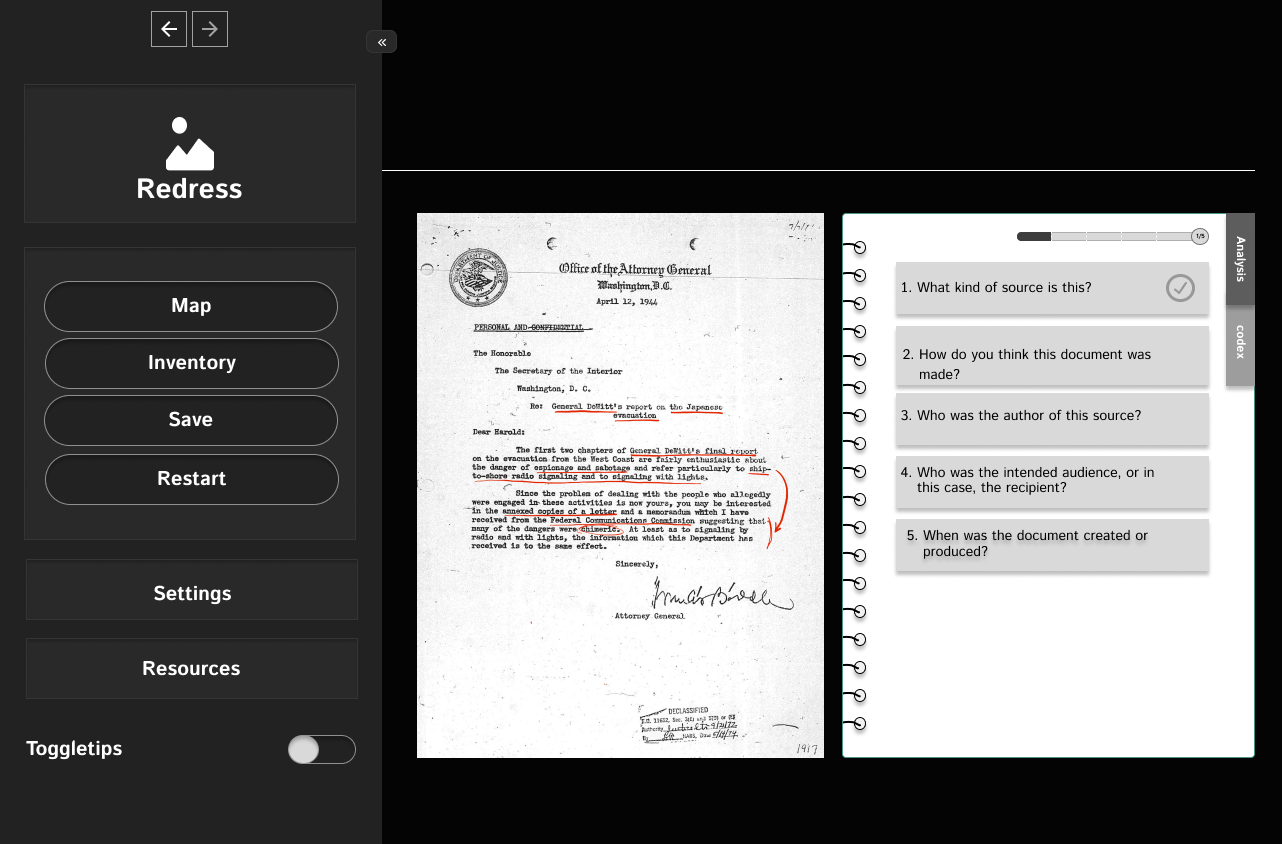
Completion screen — end of document analysis module
Codex — Government Officials Directory
Players can access a reference directory of historical figures while playing — giving context without breaking narrative immersion. I designed the codex as a diegetic UI element: something that exists within the world of the game.
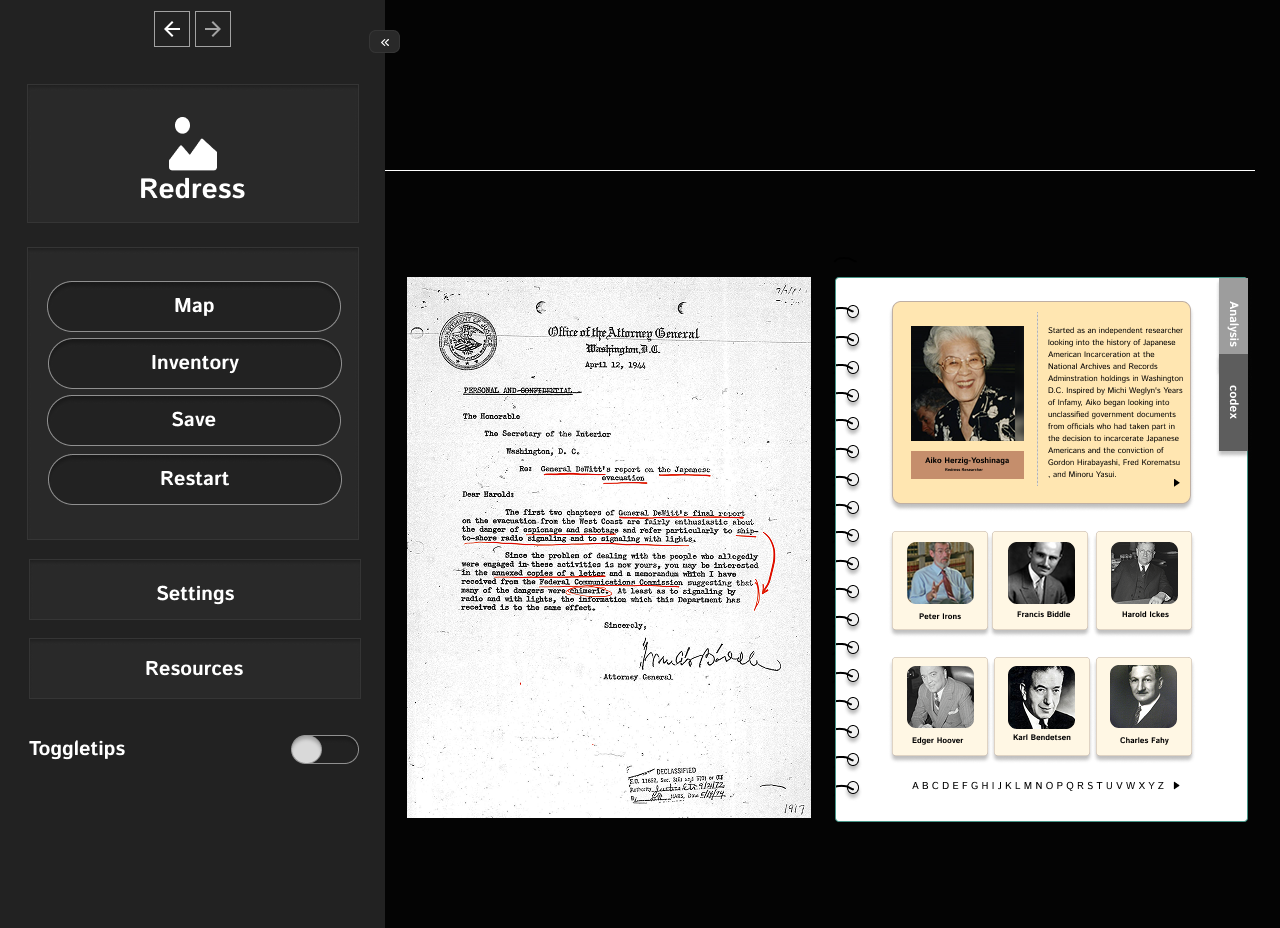
Government Officials Directory — in-game codex for historical figures referenced in archival documents
Tooltip & Onboarding System
I designed a 7-state tooltip flow to guide first-time players through the document analysis interface without interrupting the narrative. Each state progressively reveals a different UI element.
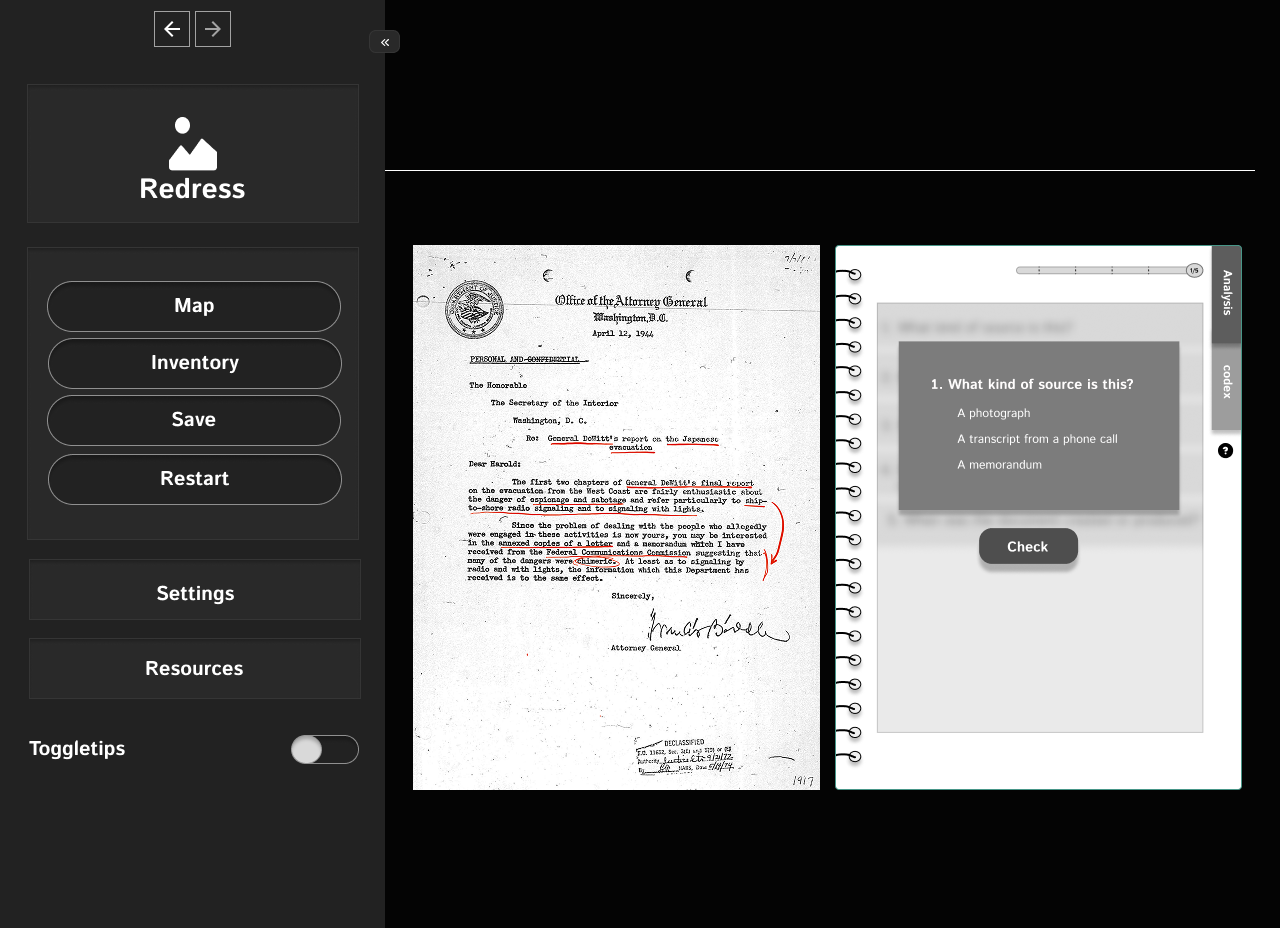
Tooltip state 1 — initial orientation
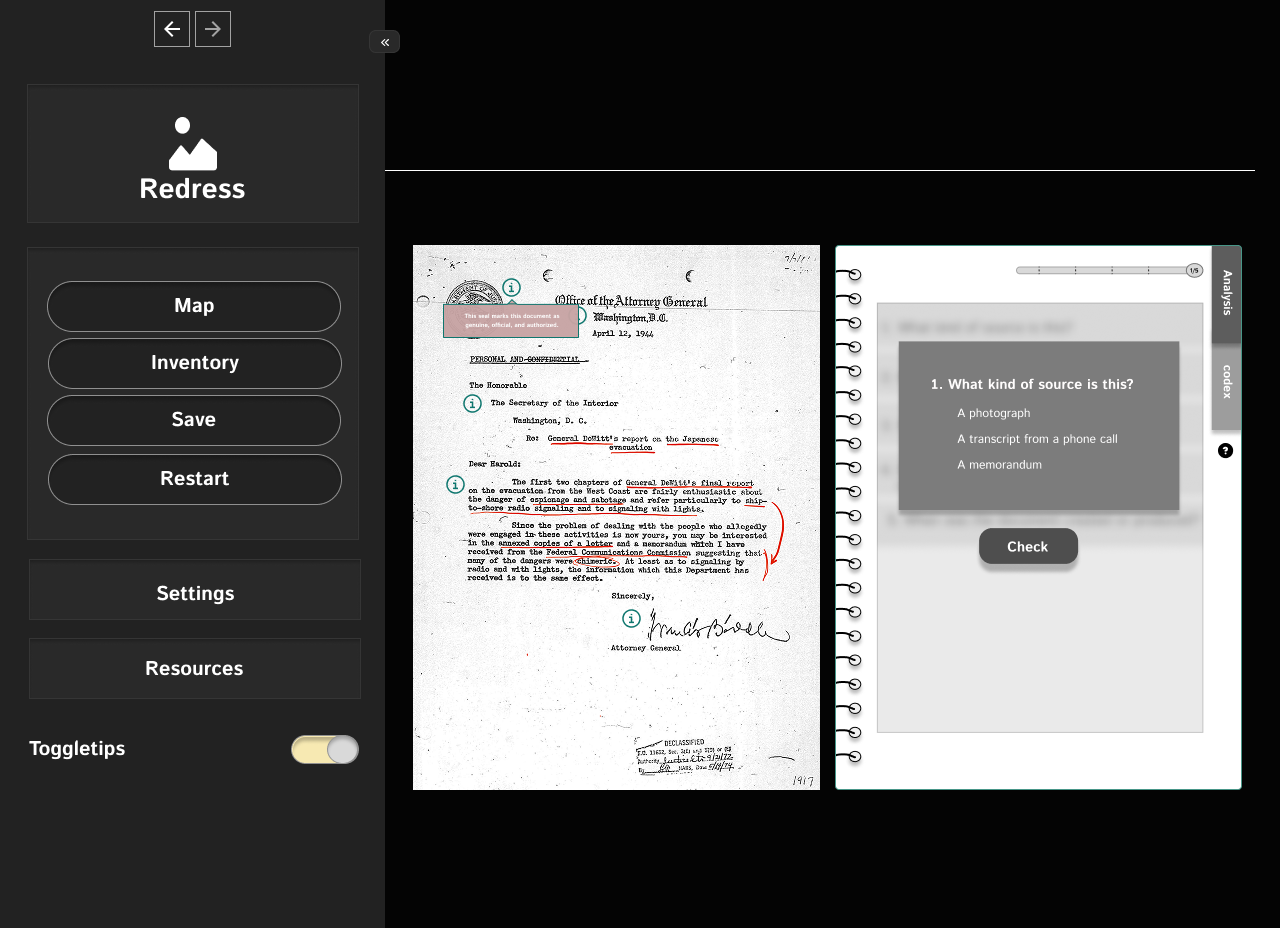
Tooltip state 3 — progressive reveal
Figma Prototype
Full UI/UX mockups for the Redress interface — all wireframe states, dialogue variations, tooltip flows, and navigation.
View Figma Prototype →Reflection
What I'd do differently: build in time for real usability testing on the document-analysis flow before it ships to classrooms. The interaction design was validated through internal design review with Prof. Tran's team, not by the students who'll actually use it — and a system this dependent on tooltip sequencing and dialogue pacing deserves to be tested against people encountering it cold.
Impact
Redress was part of a larger public history project with Full Spectrum Features, meant to preserve underrepresented stories and build educational tools that land emotionally and cognitively. The interactive teaching tool was designed to enter classrooms across the country — making this one of the few projects in my portfolio with a direct path to real-world educational deployment.